
7 Days Cat-Sitting — Three jobs every day
About
Overview7 Days Cat-Sitting is a Roblox horror game where you look after a cat named Whiskers while strange things start happening around the house. What looks like a cute pet-care game quickly turns unsettling, though the horror stays mild enough for players who don't love scary games. This guide covers the three things you need to do every in-game day — care for Whiskers, handle your own household tasks, and deal with whatever disturbances show up — so you can make it through all seven days.
What is on this page
Contents
Three jobs every day
Summary
Each in-game day asks you to do the same three kinds of things. Neglect any one of them and you will struggle to reach the end of the seven days.
- Cat care feed Whiskers, clean the litter box, and play with the laser pointer
- Household tasks collect the mail, heat and eat your dinner, lock the front door, and check appliances
- Disturbances spot what is wrong and use the correct response for that specific disturbance
Learning the house on day one
StepThe game opens with a tutorial. Read it, then open your in-game phone to find messages from the cat's owner. On PC, press P to open the phone. Before you explore, note the one rule the owner stresses: do not open the door they tell you to leave alone.
- Open the phone press P on PC and read the owner's messages before doing anything else
- Find the food storage it sits near the kitchen fridge; you will return here every day
- Find the litter box it is in the laundry room off the kitchen
- Find the laser pointer it is kept in the living room
- Find the mailbox step outside and look along the road by the front door
- Note the forbidden door the owner's messages name one door; never open it
Feeding and litter — finishing the job properly
WarnFor feeding, take the can from the storage near the kitchen fridge and put it in Whiskers's bowl. Keep watching until the eating progress indicator appears — picking up the can alone does not count. For the litter box, open the laundry room door so Whiskers can use it, then go into the cleaning screen and drag every dirt icon into the bin bag until the all-clear message shows.
Playing with Whiskers and handling household tasks
TipsPick up the laser pointer from the living room and aim the red dot close to Whiskers. Move it slowly — the gauge needs to fill all the way, so a brief reaction from the cat is not enough. One pattern to avoid: drawing fast tight circles with the dot leads to a different ending, so stick to slow movement during a normal run. Once play is done, shift to the household tasks.
- Keep the dot near Whiskers and move it slowly until the play gauge is completely full
- Avoid drawing rapid small circles with the laser if you are going for a normal clear
- Collect the mail by walking outside to the roadside mailbox, then lock the front door when you come back in
- Take the dinner tray from the fridge, microwave it, and eat before the day ends
- Close the fridge after you take the tray, and make sure the oven and TV are off before bed
Responding to disturbances
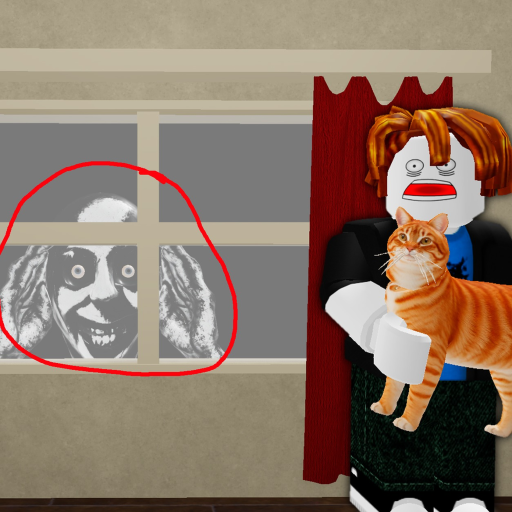
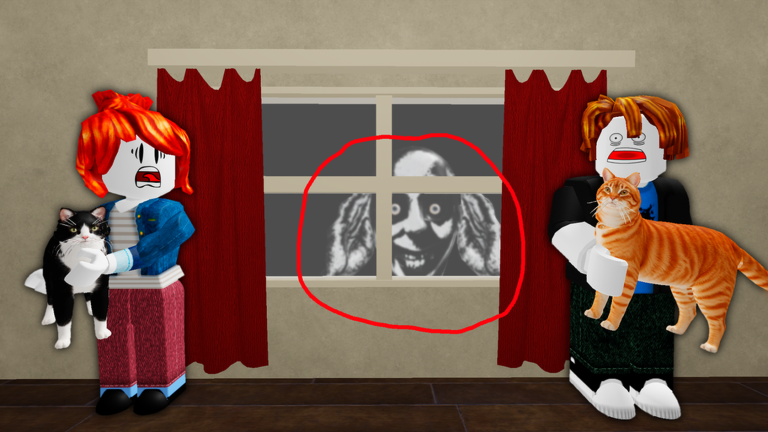
CheckDisturbances appear as strange sights or sounds around the house. The response that works for one will not necessarily work for another. After you act, check that the disturbance is actually gone before moving on.
- Look and listen first what you see and what you hear together tell you which disturbance you are facing
- Use the response that matches the disturbance closing a window, hiding in a room, or turning on the TV are each correct in different situations
- After responding, confirm the figure, sound, or abnormal state has disappeared
- If the screen shows HIDE, drop everything else immediately go into a room and close the door
- Do not assume photography solves every disturbance; the correct action depends on the type
End-of-day checklist before sleeping
CheckBefore sending your character to bed, run through cat care, household tasks, and disturbances in that order. If something urgent like a HIDE prompt came up during the day, handle that before any of the routine checks.
- Cat feeding, litter, and play are all the way complete for today
- House and self mail collected, dinner eaten, front door locked, fridge closed, oven and TV off
- Disturbances hallway, windows, bathroom, and outside all look normal with nothing unresolved
- If you ended a run early, read the result screen and pick exactly one thing to fix on the next attempt
Secret ending and chart snapshot
TipsOnce you can reach the end of the seven days without trouble, there is another goal to try. The game also appeared in the top 50 charts across multiple countries on October 6, 2026, ranking 26th in the United States and 24th in the United Kingdom that day.
- Pet Whiskers 100 times to unlock the 'Awww... SO CUTE' ending — this is separate from a normal clear
- The game supports up to 16 players in one server but is designed to be played solo at your own pace
Glossary
Glossary- Whiskers
- The cat you are looking after — spelled Whiskers in the English version of the game.
- Disturbance
- Any unnatural change in the house or to Whiskers that requires a specific response to resolve.
- Laser pointer
- A toy kept in the living room that you use to play with Whiskers by moving a red dot across the floor.
- HIDE
- An on-screen warning that tells you to get into a room and shut the door immediately.
Common questions
FAQDo I have to play for seven real days to finish?
No. The seven days are in-game days, not real-world ones. You do not need to log in on seven separate days. How long it takes depends on how much exploring and how many retries you do.
Can I play alone, or do I need friends?
You can absolutely play alone. The game is designed to work as a solo experience, so you can go at your own pace without anyone else in the server.
Is this game too scary for players who dislike horror?
The horror is on the mild side — there are unsettling moments and strange figures, but the overall tone is not extreme.
Does petting Whiskers lead to a special ending?
Yes. Petting Whiskers 100 times unlocks the 'Awww... SO CUTE' ending, which is separate from completing the normal seven-day run.
Game updates can change what is on this page. If you spot something, get in touch and let us know.
