 Live now
–
🎬NEW UPDATE
Make a Cartoon! just got way more fun with friends. Here’s what’s new: ⚔️ Animation Battle: Same theme, friends, race …

Make a Cartoon! is a Roblox game where you build frame-by-frame animations using stickmen, animals, props, and effects, then share them in a public Gallery. This guide walks you through making your first cartoon, improving your work, and earning every badge.
Found a useful trick? Share it with everyone! Notes with screenshots are welcome!
🎬 Make a Cartoon!
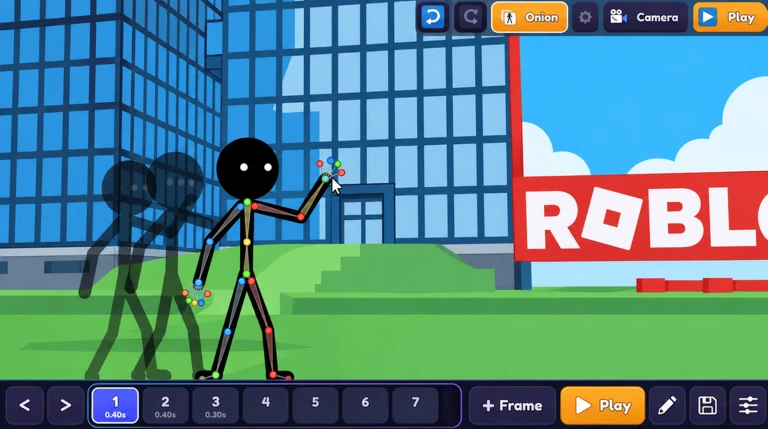
When you start, choose to create a new cartoon and you get a blank scene. From there the loop is simple: pose, add a frame, nudge things slightly, repeat. Press Play whenever you want to check how the motion looks.

The next survey is being prepared.
The game gives you several tools beyond basic posing. Getting familiar with them early means you spend time creating rather than hunting through menus.
Events running now or coming soon. They have fixed dates, so check them first.
Live now
–
Make a Cartoon! just got way more fun with friends. Here’s what’s new: ⚔️ Animation Battle: Same theme, friends, race …
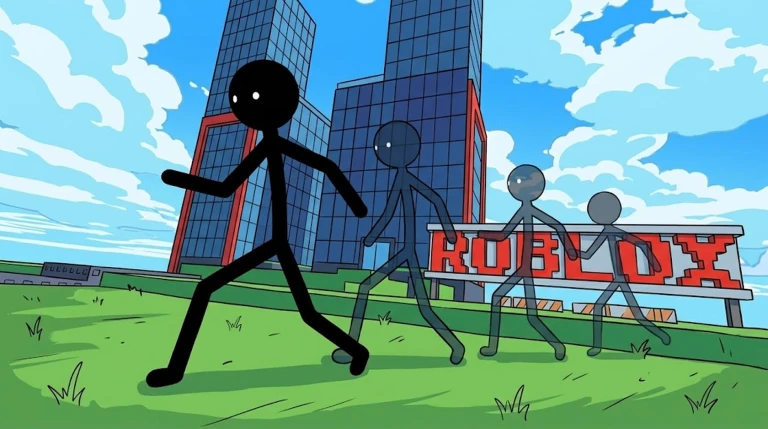
Once a cartoon is finished, share it in the Gallery so other players can watch it. Views across all your shared cartoons add up over time, and hitting certain totals unlocks badges. Cartoons with more likes rank higher in the Gallery, which brings in more views.
Cartoons save automatically, so your work is still there the next time you log in. You can close the game at any point and pick up editing right where you left off.
The game supports desktop, mobile, tablet, and console, so you can create and publish cartoons from any of those devices.
Publish your cartoons to the Gallery and let views accumulate across everything you have shared. Reaching 100, 1,000, 10,000, and 100,000 total views unlocks each badge in turn.
Up to 30 players can be in one room at the same time.
Before you start
Please check the following before using MetaNew.
* You can change your email preference any time from your profile.
