
Game guide
Final Swarm — Getting through the tutorial
Is this game fun?
No votes yet. Cast the first one.
About
OverviewFinal Swarm is a survival RPG on Roblox where hundreds of enemies rush you in waves and your job is to outlast them all. Developed by Evolution Studio Games and released on June 26, 2026, it has you collecting keys, upgrading gear, and growing stronger run by run. This guide covers everything from your first tutorial wave to fixing a run that keeps going wrong.
What is on this page
Contents
01
Getting through the tutorial
Step
02
First things to do in the lobby
Check
03
Live and upcoming events
Events
04
Movement that keeps you alive
Tips
05
Picking level-up upgrades
Table
06
Diagnosing a stuck run
Check
07
Keys, chests, and playing without spending Robux
Summary
08
Redeem codes
Tips
09
Working codes
Codes
10
Glossary
Words
11
Common questions
FAQ
01
Getting through the tutorial
Step
In short
Clearing all six tutorial waves and stepping through the portal is what unlocks the lobby and everything in it.
Your first session drops you straight into the tutorial. You need to survive six waves and then defeat the boss waiting at the end. Once the boss goes down, a portal appears — walk into it to reach the lobby. The lobby is where the shop, gear changes, and permanent upgrades live, so none of that is available until you finish this opening run. Use the tutorial to get comfortable with moving, collecting experience, and picking level-up upgrades before the real pressure starts.
- Learn the controls PC uses WASD to move and the mouse to move the camera; mobile uses the left on-screen stick
- Collect experience by moving near enemy drops
- Choose level-up upgrades when the screen pauses and shows three options, pick firepower upgrades like multi-shot or attack speed first
- Find the portal after the boss falls stepping through it is how you reach the lobby; standing still after the kill leaves you stuck
02
First things to do in the lobby
CheckIn short
Checking quests, comparing gear, and spending keys on permanent upgrades before each run makes every attempt more stable than the last.
Every time you return to the lobby, run through the same short routine before heading back out. Opening a chest does not automatically equip better gear, so you have to compare items yourself. Keys are the main currency for both permanent upgrades and chests, but permanent upgrades — damage, max health, defense, and movement speed — give you guaranteed improvements that carry across every future run.
- Collect any waiting quest rewards
- Compare newly found gear with what you are wearing and swap to the stronger piece
- Spend keys on permanent upgrades before spending them on chests
- Check that new gear is actually equipped, not just sitting in your inventory
03 Live and upcoming events
Events
いま開催中・開催予定のイベントです。期間が決まっているので先に確認しておきましょう。
NEW Raid Boss!
Dungeons + Weapon Evo!
04
Movement that keeps you alive
Tips
In short
Running wide circles around the outside of the map is the single most effective habit you can build.
Enemies chase you, so how you move matters as much as what weapons you carry. The core idea is to keep enemies lined up behind you rather than surrounding you on all sides. Around wave five the screen starts filling up, and that is exactly when deliberate movement stops being optional.
Tips worth knowing
- Trace wide circles along the outer edge of the map so enemies bunch up in a line behind you
- Never park yourself in a corner — always keep a clear direction to run toward
- Avoid sharp direction changes in the middle of a crowd
- Collect experience only when you pass through a spot where enemies are thin
- If the game starts feeling sluggish on mobile or a lower-end device, reduce graphics quality so your movement stays responsive
05
Picking level-up upgrades
Table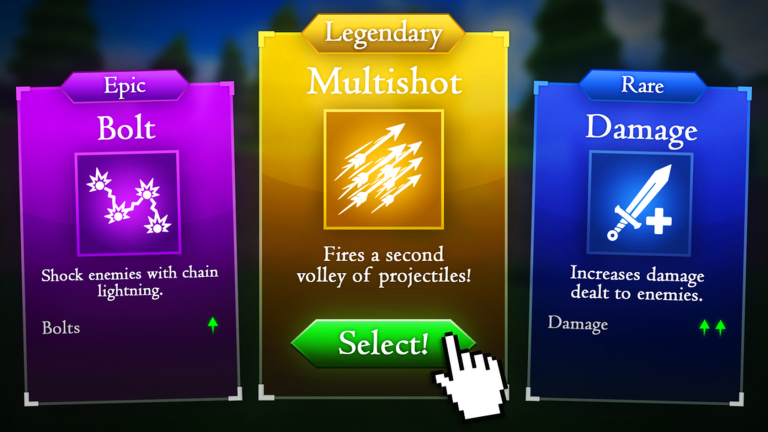
In short
Build firepower first, then add survivability the moment you notice enemies reaching you regularly.
Each time you level up the game pauses and offers three upgrade choices. Early on, the fastest way to reduce pressure is to cut down enemy numbers before they close in, so firepower upgrades come first. As waves get heavier and contact becomes unavoidable, blending in a defensive pick keeps you in the run.
| Multi-shot and attack speed | highest priority early; reduces enemy count before they reach you |
| Bullet count and piercing | take these when groups start pressing in from multiple angles |
| Area attack upgrades | good once a swarm is already surrounding you and you need wide coverage |
| Max health and defense | add at least one when contact damage is knocking you out regularly |
| Movement speed | take early if you are getting surrounded before you can reposition |
| Collection range and attack range | fill these in after your core damage is already solid |
06
Diagnosing a stuck run
Check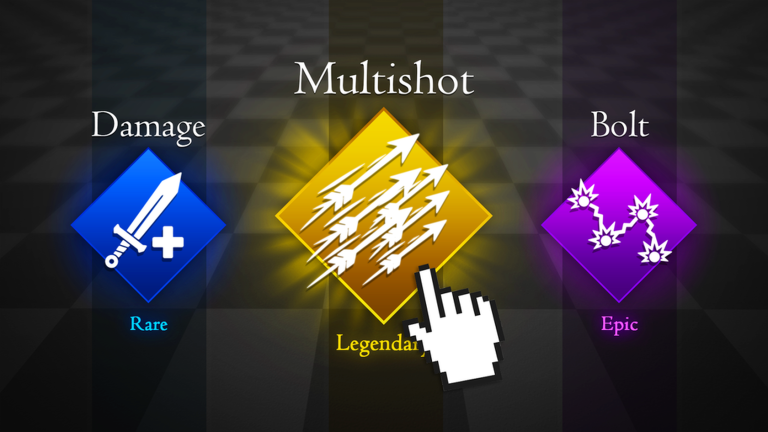
In short
Matching the fix to the actual cause — firepower, durability, or movement — is faster than randomly changing upgrades.
Check the specific symptom below and address that one thing first rather than changing everything at once.
- Enemies keep piling up and you cannot thin them bullet count, piercing, and area upgrades are too low
- Boss barely loses health prioritize the main weapon's damage stat and attack speed
- One hit from an enemy takes a huge chunk of health max health and defense need investment, and stick to the outer-circle movement
- You keep getting surrounded before you can escape movement speed upgrade and wider circles
- Controls feel delayed and you are missing movement windows lower graphics quality before attempting a harder difficulty
07
Keys, chests, and playing without spending Robux
Summary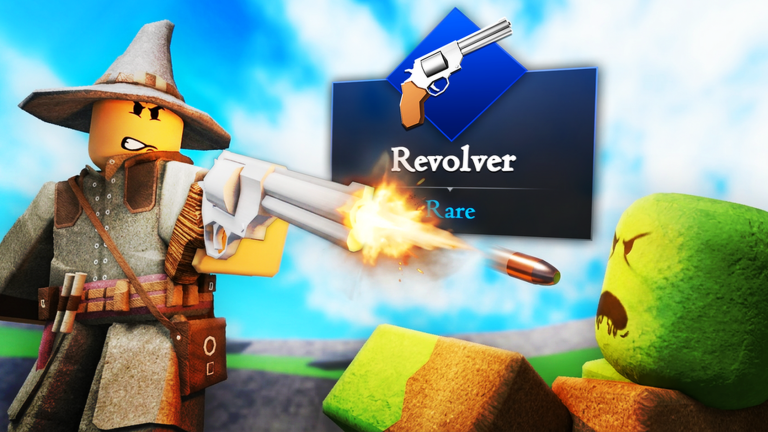
In short
The whole progression loop runs on keys you earn in-game, and permanent upgrades are where those keys do the most reliable work.
Keys drive everything in the lobby. Permanent upgrades give a guaranteed improvement every time you spend them, while chests pay out randomly. Mythic-rarity gear is not required to reach the mid-game. Liking the game and joining the developer group on Roblox unlocks exclusive free rewards.
- Permanent upgrades guaranteed stat gains that carry into every future run
- Chests random loot; save these until you have keys to spare after upgrading
- Mythic gear not needed to progress through early and mid-game content
- Group and like rewards free exclusive items available at no Robux cost
- Robux purchases discuss with a parent or guardian before buying; avoid repeatedly opening random chests
08
Redeem codes
TipsIn short
Codes are a quick way to grab keys and other rewards.
There is a code entry field inside the in-game menu. Valid codes pay out rewards like keys the moment you submit them. Codes can only be used once per account, and many have expiry dates, so enter them as soon as you find them.
Tips worth knowing
- Open the in-game menu and look for the code entry field
- Type carefully — a single wrong character means the code does not register, and you cannot reuse it
- Codes have expiry dates — enter them as soon as you find them
09 Working codes
Codes
 w0rldw1d3
atl4nt1s
Cl4ssy
a mythic chest (new!)
w0rldw1d3
atl4nt1s
Cl4ssy
a mythic chest (new!)
a mythic chest (new!)
ADMIN
a mythic chest (new!)
a mythic chest (new!)
Glossary
Glossary- Wave
- One round of enemies that spawns together; each wave brings more enemies and tougher ones than the last.
- Key
- The in-game currency used in the lobby for permanent upgrades, weapons, gear, and chests.
- Permanent upgrade
- A stat boost purchased with keys in the lobby that stays active across all future runs, unlike level-up upgrades that reset.
- Level-up upgrade
- One of three options offered when you gain a level during a run; its effect lasts only for that run.
- Piercing
- A weapon property that lets each shot pass through one enemy and continue hitting those behind it.
- Kiting
- The movement technique of running in wide circles to keep enemies lined up behind you rather than surrounding you.
- Mythic
- The highest rarity tier for gear in the game.
- Swarm
- A large cluster of enemies converging on you at the same time.
- Challenge
- An optional difficulty modifier applied to a map run that raises the enemy difficulty and increases loot drop chance multipliers on completion.
Common questions
FAQThe tutorial will not end — what do I do?
After defeating the boss at the end of wave six, a portal appears somewhere on the map. You have to walk into that portal to move to the lobby. If you defeat the boss and stop moving, the game leaves you in place — find the portal and step through it.
Does the game pause when I pick a level-up upgrade?
The run pauses while the upgrade selection screen is open, so you have time to read each option properly. If an update ever changes this, you will notice enemies still moving on screen — in that case make your choice quickly.
Should I spend my first keys on chests or permanent upgrades?
Spend them on permanent upgrades first — damage, max health, defense, and movement speed. Chests have random outcomes, so they are better saved for when you have keys left over after upgrading.
Can I play alone, and is the game playable without spending Robux?
The game is fully playable solo. The core loop of earning keys and building permanent upgrades works entirely without Robux, and you can aim for the final boss without spending anything.
How do I get the group and like rewards?
Like the game on its Roblox page and join the Evolution Studio Games group. The exclusive rewards tied to these actions are free.
Updated Sep 11, 2026
Game updates can change what is on this page. If you spot something, get in touch and let us know.
Game updates can change what is on this page. If you spot something, get in touch and let us know.
